
Change the Name on Your Public Profile

Update the name shown on your Artwork Archive Public Profile in a few clicks, so collectors and site visitors see the name you want.

How to change the name on your Public Profile

  1. Click on My Profile in your left-side menu

  2. Make sure you are in the Profile Info tab

  3. Enter your name in the Profile Name box below your Profile Image and Logo

  4. Click Save at the bottom to save your changes
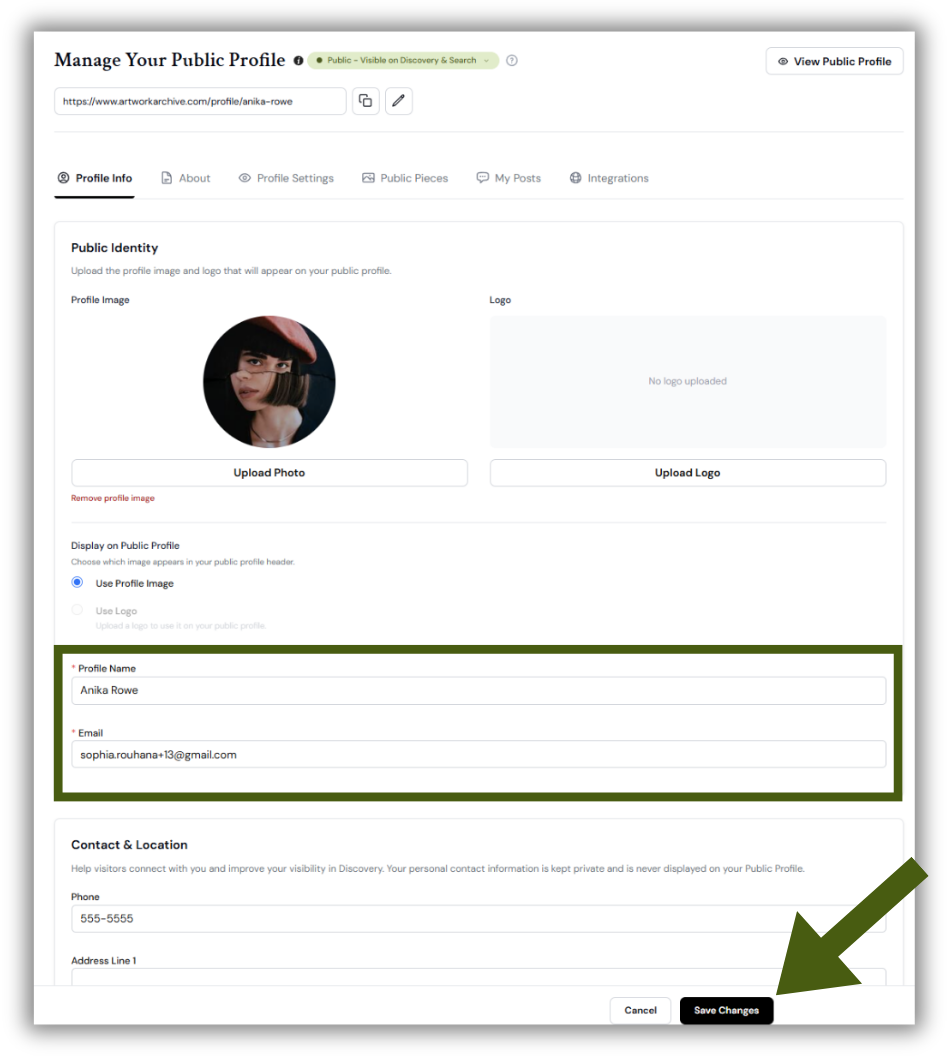
Profile Info tab showing the Profile Name field below the Profile Image and Logo uploads, with the Save button underneath.

Did this answer your question?